


Why is my website not showing on Google? A 15-minute diagnosis
Before you pay for ads or a new website, find out which of three problems you have: Google cannot find the page, chose not to index it, or indexed it but ranks others higher. Each has a different fix.
 Barshad SitoulaSEO specialist · 7+ years · Dubai
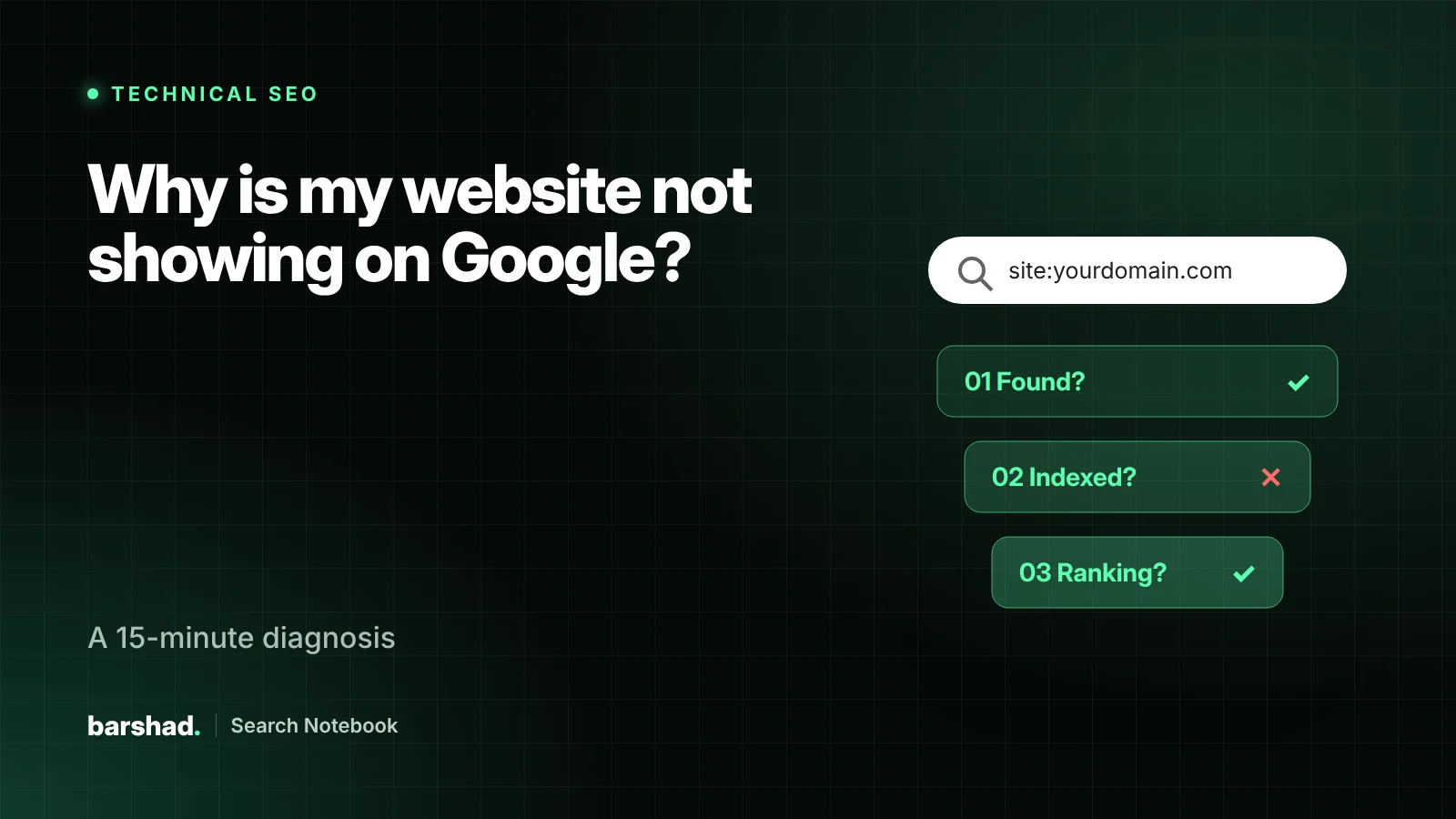
- Separate the problem first: not found, not indexed, or indexed but not ranking.
- One setting, one robots.txt line or one wrong canonical can hide a whole website.
- Search Console tells you most of this for free. Set it up before anything else.
- A page that answers the wrong intent will not rank, however "optimised" it is.
“I can’t find my website on Google” is one of the most common messages I receive. It sounds like one problem. It is almost always one of three, and each needs a different fix:
- Google has not found the page. It does not know the page exists.
- Google found it but chose not to index it. The page is blocked, duplicated or judged too thin.
- Google indexed it but ranks other pages higher. This is a relevance and competition problem, not a technical one.
Work through the checks below in order. Most people can identify their problem in about fifteen minutes.
Step 1: is the page in Google at all?
Run a site: search
Type site:yourdomain.com into Google. If nothing appears, the issue is technical. If pages appear but not the one you care about, check that page specifically with site:yourdomain.com/page-url.
Use URL Inspection in Search Console
Add the website to Google Search Console and inspect the URL. It tells you whether the page is indexed, which canonical Google selected, when it was last crawled, and why it was excluded if it was.
Step 2: if it is not indexed, find the blocker
The Page indexing report in Search Console groups excluded pages by reason. These are the ones I see most often on business websites:
| Status in Search Console | What it usually means | First fix |
|---|---|---|
| Excluded by “noindex” tag | A setting or plugin told Google not to index the page | In WordPress, untick “Discourage search engines” under Settings → Reading, then check your SEO plugin |
| Blocked by robots.txt | A Disallow rule stops crawling |
Open yourdomain.com/robots.txt and remove rules that block real pages |
| Discovered – currently not indexed | Google knows the URL but has not crawled it yet | Add internal links from strong pages and keep the sitemap clean |
| Crawled – currently not indexed | Google read the page and decided it was not worth indexing yet | Make the page more useful and distinct from your other pages |
| Duplicate, Google chose different canonical | Google thinks another URL is the main version | Merge near-duplicates and set consistent canonicals and internal links |
| Page with redirect / Not found (404) | The URL moved or no longer exists | Redirect old URLs to the closest live page with a 301 |
One detail many people miss: robots.txt controls crawling, not indexing. If you want a page out of Google, use a noindex tag and let Google crawl it to see that tag.
Step 3: if it is indexed but not ranking
Check search intent
Search your main keyword and look at what ranks. If Google shows lists of providers and you have a single blog post, or it shows service pages and you have a homepage paragraph, you are offering the wrong type of page. Match the format first.
Give every important search one clear page
If one page tries to rank for “AC repair”, “AC maintenance” and “duct cleaning” in five areas, it competes with itself. One service, one page, with a clear title and heading, beats one page that mentions everything.
Look at depth and proof
Compare your page with the top three results. Do they answer prices, process, timing, areas served and common questions? Do they show reviews, credentials or real photos? Customers and Google both reward the page that removes doubt.
Strengthen internal links
Pages linked from your homepage and main menu are treated as more important. Link to your key service pages from related pages, using descriptive anchor text.
Add local signals for local searches
For searches with local intent, the map pack often appears above the website results. A verified Google Business Profile with the right primary category, accurate hours and genuine reviews is essential. My guide on ranking in Google Maps in Dubai covers this step by step.
Step 4: rule out the less common causes
- Manual actions. Check Security & Manual actions in Search Console. Rare, but serious.
- Content hidden behind JavaScript. Use URL Inspection → View crawled page to confirm Google sees your text and links.
- A recent redesign. Changed URLs without 301 redirects are one of the fastest ways to lose visibility.
- Hacked or spam pages. Search
site:yourdomain.complus words like “casino” or “pharmacy”. Unexpected results need urgent cleanup.
Real examples of how each problem looks
These are typical patterns I come across, described without client names:
- The forgotten setting. A new company website launches, looks perfect, and receives no search traffic for two months. Cause: the “Discourage search engines” box was still ticked from development. Fix: one click, a sitemap submission and a few weeks of patience.
- The duplicate maze. An online store has 400 products but Google reports 9,000 URLs, most of them filter and sorting variations. Important category pages are “Discovered – currently not indexed” because crawling is spent on the noise. Fix: canonicals, parameter handling and clean internal links.
- The redesign drop. A service company launches a new design with new URLs and no redirects. Rankings built over years disappear in a fortnight. Fix: redirect every old URL to its new equivalent, then wait for re-crawling.
- The wrong page type. A business tries to rank its homepage for twelve services in six areas. Google ranks competitors who have one focused page per service. Fix: page structure, not more keywords.
A fifteen-minute checklist you can copy
site:yourdomain.comreturns results.- Search Console is verified for the right version (https, with or without www).
- URL Inspection says the key page “is on Google”.
- No noindex on key pages, and the WordPress visibility setting is off.
- robots.txt does not block key folders.
- The XML sitemap is submitted and contains only live, indexable URLs.
- Each key search has one clear page whose format matches what ranks.
- Key pages are linked from the homepage or main menu.
- For local searches, a verified Business Profile links to the right page.
- No manual actions or security issues are reported.
If all ten pass and you still are not visible for the searches that matter, the problem is competitive: content depth, authority and local signals. That is where a strategy, not a fix, is needed.
How long recovery takes
Once a blocker is removed, Google needs to re-crawl the affected pages. Small sites can recover within days to a few weeks. Larger sites, or sites where Google lost trust in many low-value URLs, take longer because crawling is rationed. Watch the Page indexing report and impressions in Search Console week by week rather than checking rankings daily.
When to ask for help
If Search Console shows large numbers of excluded pages, rankings fell after a launch or migration, or you have checked everything here and still cannot see the cause, an audit will usually find it faster than trial and error. You can order a fixed-price technical audit or read more about my technical SEO service.
Frequently asked questions
How long does Google take to index a new website?
Anywhere from a few days to several weeks. A submitted sitemap, internal links and a few real external mentions help Google discover pages faster. Requesting indexing in Search Console can help but cannot force it.
My site shows when I search the business name but not for my services. Why?
That usually means the site is indexed but the service pages are not strong enough for competitive searches. Look at search intent, page depth, internal links and local signals rather than technical blocks.
Does my business need a Google Business Profile?
For local searches such as "AC repair Dubai" or "dentist near me", the map results come from Business Profiles. Without a verified profile you cannot appear there, even with a good website.
Will a new website fix it?
Only if the old site was the cause. Many redesigns make visibility worse because URLs change without redirects. Diagnose first, then decide.
SEO specialist and digital marketer based in Dubai with 7+ years across technical SEO, content strategy and WordPress development. Former Senior SEO Lead.
Related guides.
Website migration without losing traffic: the SEO checklist I use
Redesigns, new platforms and domain changes are where businesses lose years of search visibility in a weekend. This is the…
Read article
How much does SEO cost in Dubai? What you are really paying for
Two SEO quotes for the same website can be ten times apart, and both can be honest. Here is what…
Read article
Local SEO in Dubai: how to rank in Google Maps in 2026
Google ranks local businesses on relevance, distance and prominence. Distance you cannot change, but the other two you can. This…
Read article